Job costing, claims and crews for trade contractors
Know your numbers.
Execute better.
One set of numbers from the first quote to the final claim, so you see where every job stands and act before it costs you. Built inside a working contracting business, by people who run one.
Choose your trade
Your trade not live yet? Register interest and we will set you up first.
Works with
MYOBGoogle sign-inABN LookupYour records stored in AustraliaPayment-schedule dates for every stateWho it's for
One system. Everyone in the business.
Directors & owners
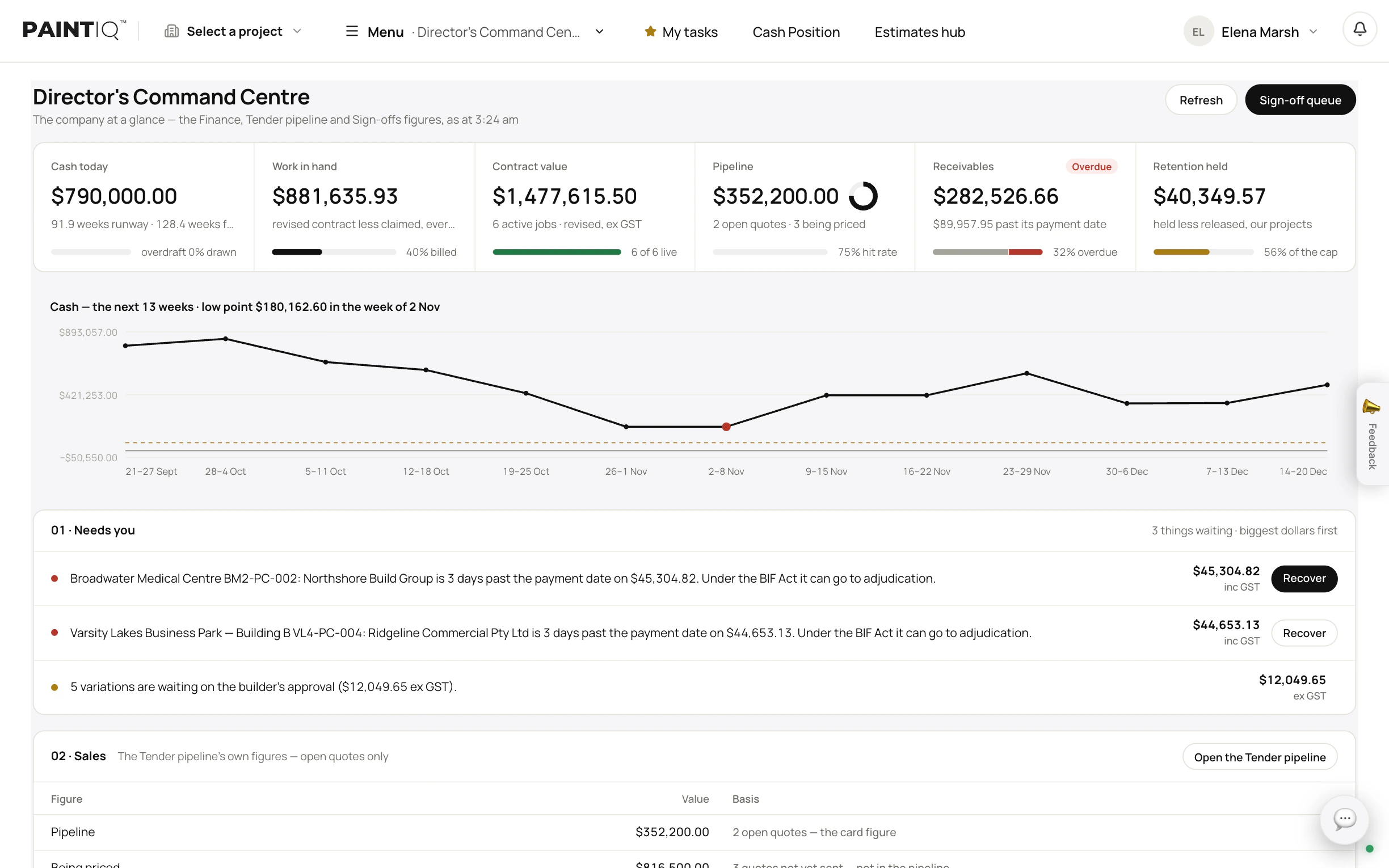
Cash, margin and what’s left to claim on every job, on one screen. Know where the business stands before the accountant tells you.
Owners · Directors · Finance
Office & project managers
Quote, plan, order and claim from the same numbers. Subcontractors claim in their own portal, and the payment schedule is checked for you.
Estimators · Project managers · Contract admin · Accounts
Crew on site
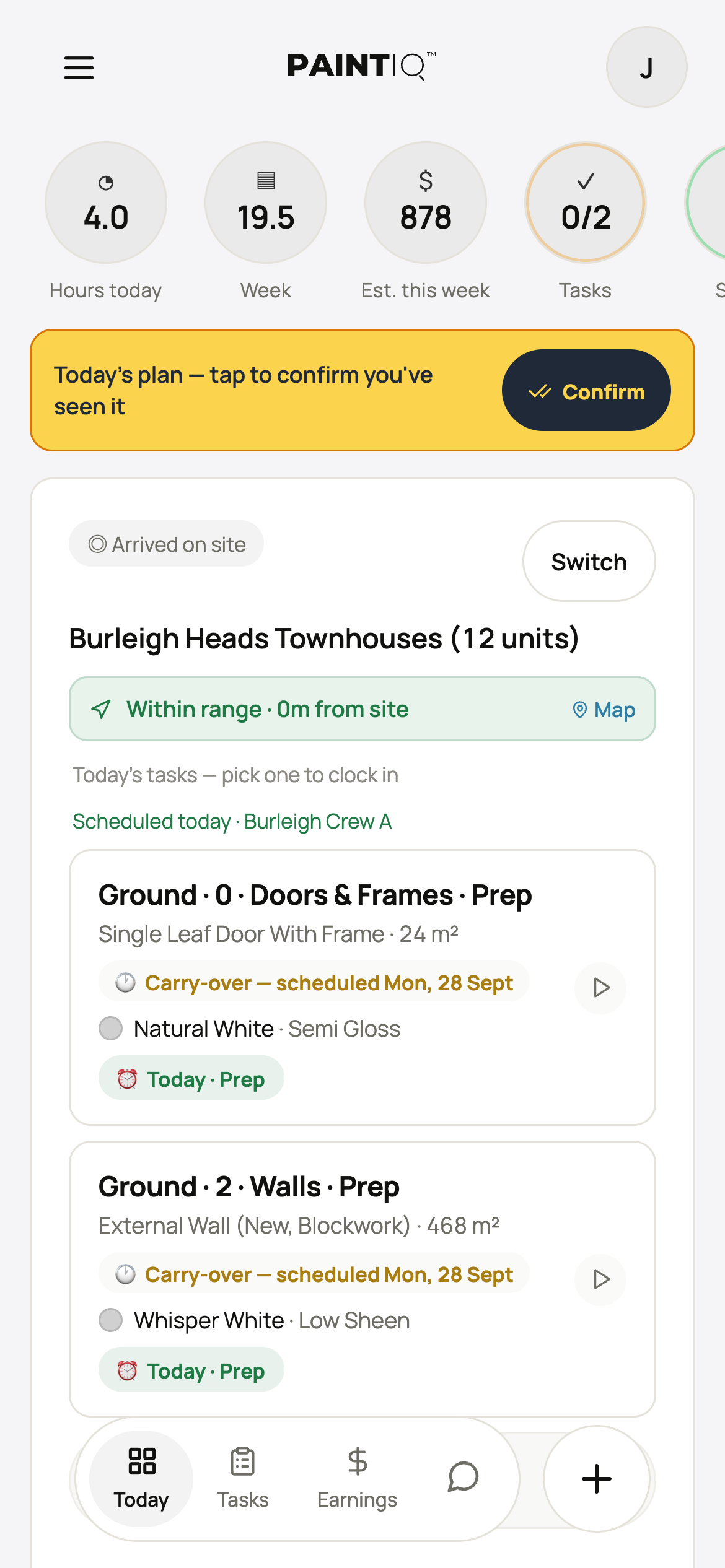
Clock in, see today’s tasks, photo the work and log progress from a phone. No paper timesheets, no chasing.
Supervisors · Leading hands · Crew · Subcontractors
Halo, the AI agent
AI that drafts.
Your people approve.
Halo reads your jobs, claims and the inbox you connect, then drafts the reply, the variation or the follow-up. It never sends anything on its own: a person in your company approves every draft.
- Drafts and suggests from your own records
- Every action approved by a person
- A monthly AI allowance in every plan
HALO · DRAFT FOR APPROVAL
“The builder's payment schedule is $3,850 short against claim PC-004. I've drafted a reply asking for the reasons, quoting the approved variation. Review before it goes?”
Illustration. Halo is switched on by request on Growth and Scale.
One platform
Every number your business runs on. Entered once.
Every quote, timesheet, claim and pay run reads from the same numbers. You see margin, labour and cash on every job while there is still time to change the outcome.
01 · Win the work
Quotes that price themselves.
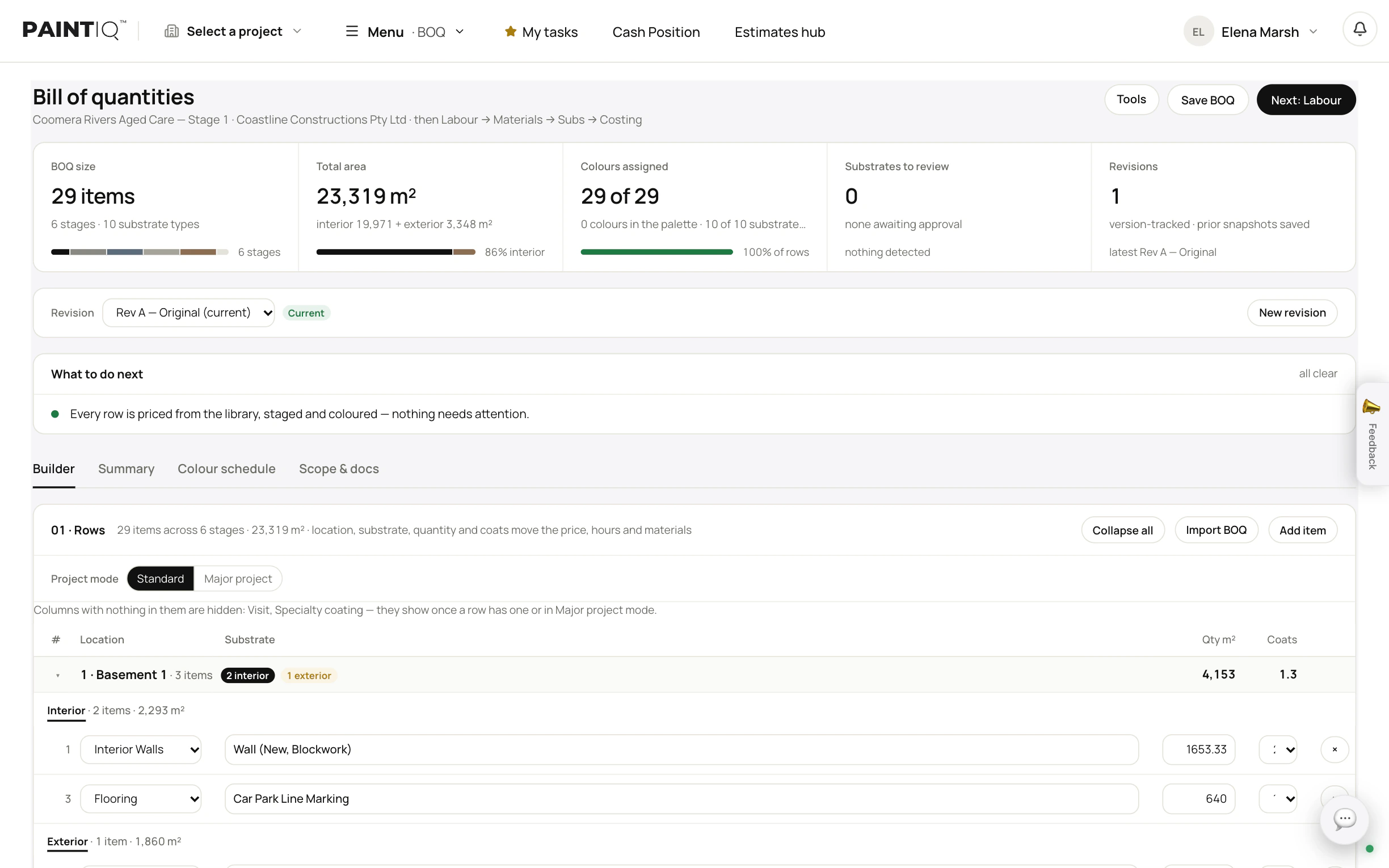
Take off by location, area and stage. Every price comes from your own rate library, so two estimators quote the same job the same way, and the quote becomes the job budget when you win.
- Your rates, your margins, one price book
- Quote to job in one click, budget included
- Variations priced from the same library
02 · Run the job
Plan it, then execute it.
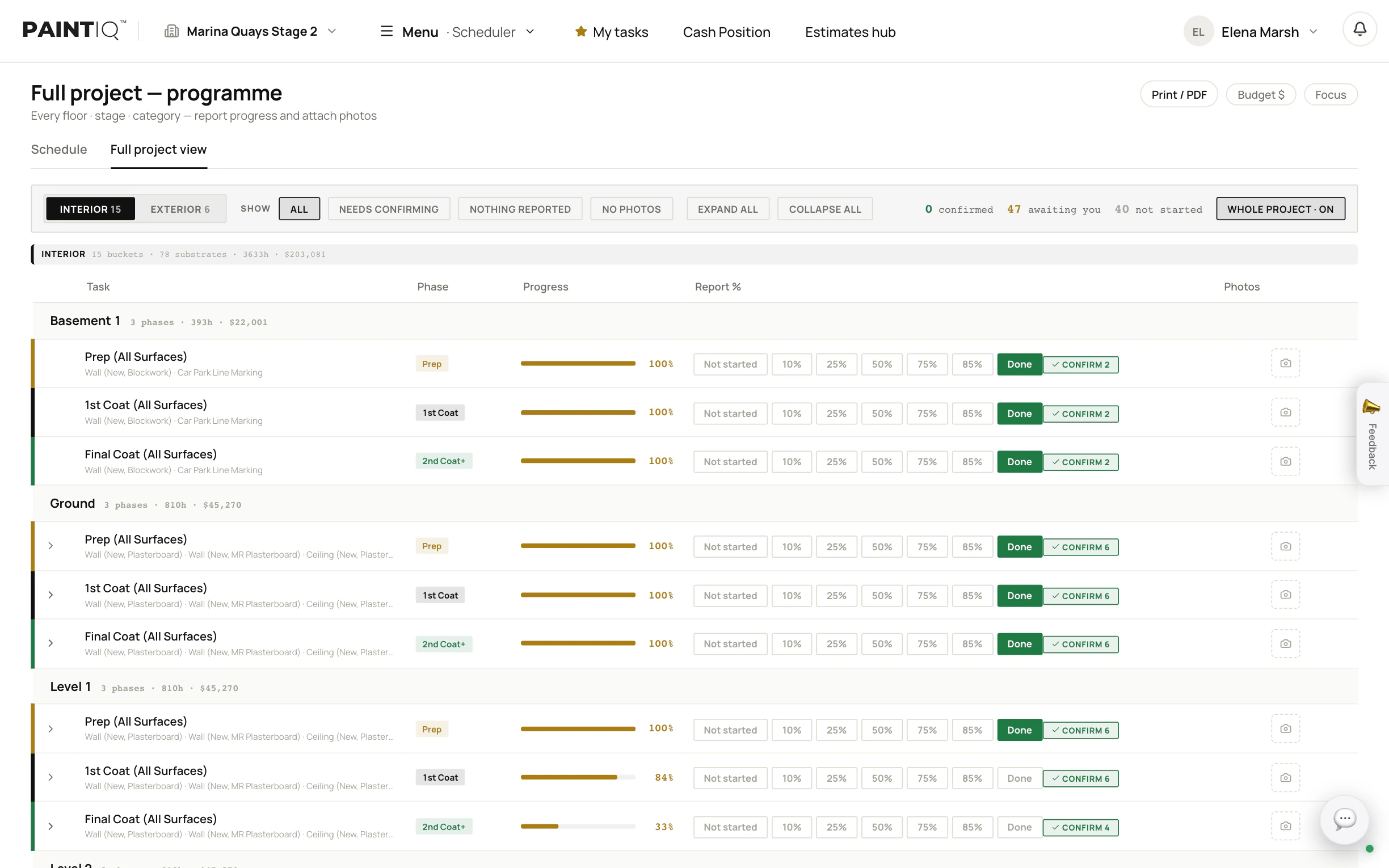
Each floor, stage and task is planned against the quote. Crews report progress from their phones, subcontractors claim in their own portal, and you see labour against budget every week, not at the end of the job.
- Programme, crews and materials by area
- Subcontractor packages, portal and RCTIs
- Labour and productivity against the quote
03 · Get paid
Claims drafted from the work you actually did.
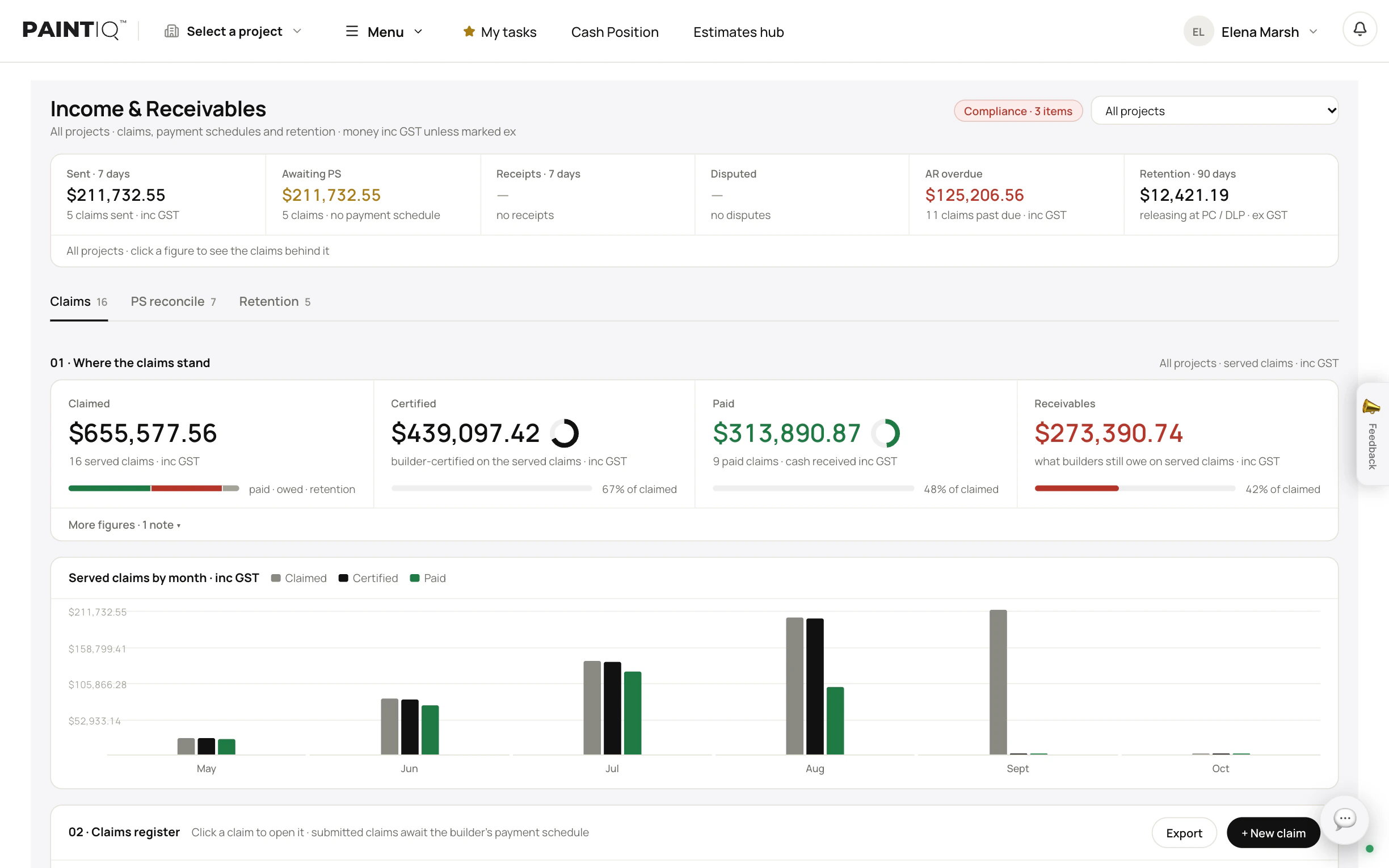
Approved site progress becomes your payment claim. PaintIQ counts the payment-schedule due date for each job’s state, checks each builder’s payment schedule against what you claimed, and keeps retention, variations and cash on one page.
- Progress claims, variations and retention
- Payment schedule checked line by line
- Cash position from the same numbers, and a pay-run export for your payroll software
The crew app
A phone app your crew actually uses.
Clock in on site, see today's tasks, attach photos to the exact area, and invoice against approved hours. No paper, no chasing, and the office sees it as it happens.
- GPS clock-in
- Progress per task
- Photos to the scope line
- Invoices into the pay run
A setup guide that does the work with you
Rates, crews, clients and your first job, step by step.
Real answers by email
support@paintiq.io reaches the team that builds PaintIQ, not a call centre.
Your data, always yours
A Director can export every record at any time, whatever plan you are on.
Straight answers.
Is there a free trial?
No free trial: you pick a plan when you sign up, then set up your company. Every plan is monthly, and you can cancel any time.
Is it only for painters?
No. PaintIQ was built inside a painting business, and it is made for any trade contractor that quotes by area, runs crews and subcontractors, and claims progress from a builder.
Does it work in my state?
Yes. PaintIQ works in every state and territory and counts payment-schedule due dates under each job’s state law. Dispute and adjudication steps cover Queensland today, with the other states coming.
Does it replace my accounting software?
No. PaintIQ runs the jobs and the money on them; your books stay in MYOB. You review and send invoices, bills and pay-run journals across to MYOB.
Is our data safe?
Each company has its own private workspace. Your records are stored in Australia; some services, including AI, run overseas. Key changes are kept in an audit trail, and a Director can export every record at any time.
What about AI?
The AI drafts and suggests, and never sends anything on its own: a person in your company approves every AI draft. Reminders you switch on, like quote follow-ups, send automatically. Each plan includes a monthly AI allowance.